Troubleshooting
Billing Problems
Steps to diagnose billing problems in WonderMoney.
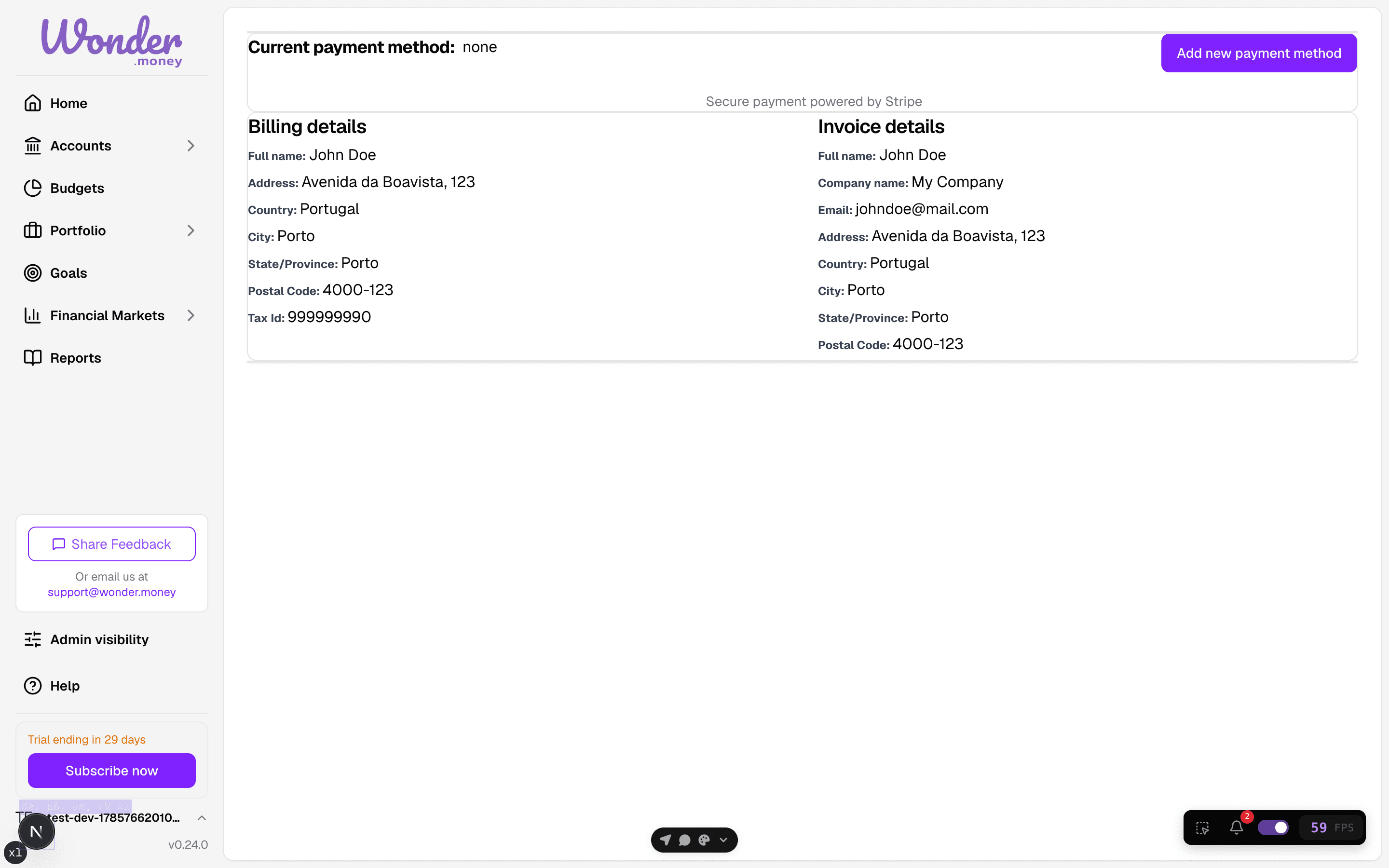
The billing page shows the current payment method and where to add a new one, which is the recovery step after a failed payment.
Symptoms
- A payment fails or is not accepted.
- The subscription does not change after checkout.
- Billing history does not show the expected charge.
- The trial ends and access does not update as expected.
What to check
- Whether the payment method is current.
- Whether the charge was created in the correct account.
- Whether the subscription page shows a pending update.
- Whether the trial end date has already passed.
What to try
- Refresh the billing page.
- Update the payment method and try again.
- Confirm that the subscription change completed.
- Check billing history for a successful or failed payment entry.
Payment-failed recovery
When a payment fails, WonderMoney starts a dunning sequence instead of ending the subscription immediately. You receive a payment-failed email with the amount and the next retry date, followed by a second notice if the payment still has not succeeded. Each message points to the billing page so you can update your payment method and restore access.
For the full flow, see Manage subscription.
When to contact support
Contact support if the billing page shows a completed payment but the subscription still has not changed, or if charges appear that you do not recognize.