Bank Connection Problems
Diagnose problems linking a bank account or setting up your Enable Banking key in WonderMoney.
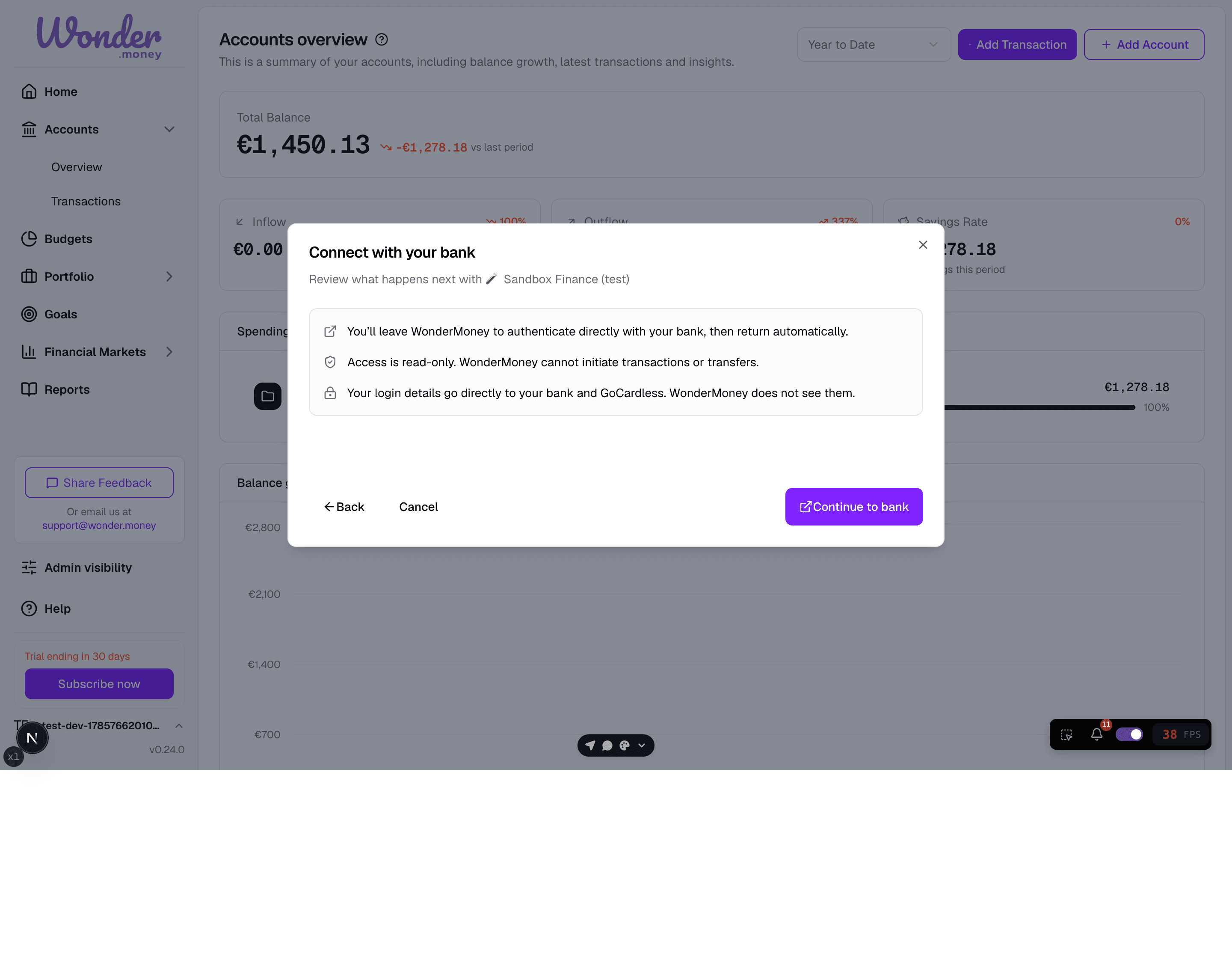
Before the bank flow starts, WonderMoney explains what happens next, including the read-only access and where your credentials go.
Symptoms
- The bank does not finish connecting.
- The connection fails after you approve access at the bank.
- Accounts do not appear after the connection step.
- Existing links stop refreshing.
- Your Enable Banking key won't save, or WonderMoney reports it as invalid.
What to check
- Whether you've saved a working Enable Banking key in Settings → Bank Provider — a bank connection can't start without one.
- Whether the bank currently supports the connection method you are using.
- Whether you completed every approval step at the bank.
- Whether the account is connected to the correct account.
- Whether the connection expired or was revoked.
What to try
- Start the connection again from the bank connection page.
- Sign in to the bank carefully and confirm every permission screen.
- Wait a few minutes and refresh the accounts list.
- Remove the connection and reconnect it if the process is stuck.
Enable Banking key problems
Most connection problems trace back to how the Enable Banking application was set up, not to the bank itself. Before retrying a connection, check for these:
- Application created with Sandbox instead of Production. Sandbox only ever connects to fake, mock bank data, so it can never link a real account. Check the application's page in Enable Banking's Control Panel — if it shows a Sandbox environment, register a new application with Production selected instead. See Connect your first bank account for the full setup.
- The application form wouldn't submit. For a Production application, Enable Banking requires a Privacy URL and a Terms URL, but doesn't mark them as required or show an error when they're missing — the form just does nothing when you click submit. If an application won't save, check that both fields are filled in.
- "Request activation" was clicked instead of "Activate by linking accounts." Enable Banking's Control Panel shows both buttons after an application is registered. "Request activation" starts a business verification (KYB) process that isn't needed for personal use and won't activate a personal application on its own. Use "Activate by linking accounts" instead, which activates the application by walking you through linking one of your own bank accounts.
Lost the downloaded private key
Enable Banking shows the private key exactly once, at the moment it's generated, and cannot show it again — not even through their own support. If the .pem file wasn't backed up and can no longer be found, there is no way to recover it. The only fix is to register a brand-new application in the Control Panel and generate a new key.
Connection incidents
A bank connection can end in an incident state instead of a clean success or failure. Common states include:
bank-disconnected— the bank dropped or ended the connection, and it needs to be re-established.payment-failed— a payment-related step of the connection did not complete.
Incidents are recoverable. Provider outages, such as an Enable Banking outage, are handled in the bank list rather than surfacing as server errors, so your existing data stays unchanged. When an incident is recoverable, starting the connection again reopens the connection flow with the real bank name, and you can complete the approval steps once the provider is available.
For the full connection workflow, see Manage bank connections.
When to contact support
Contact support if the bank is listed as supported but the connection still fails after a retry, or if the account connects but no data syncs after a reasonable wait.