Manage subscription
Review subscription status and understand the actions available for your account.
The subscription area shows your current access state and links you to billing actions.
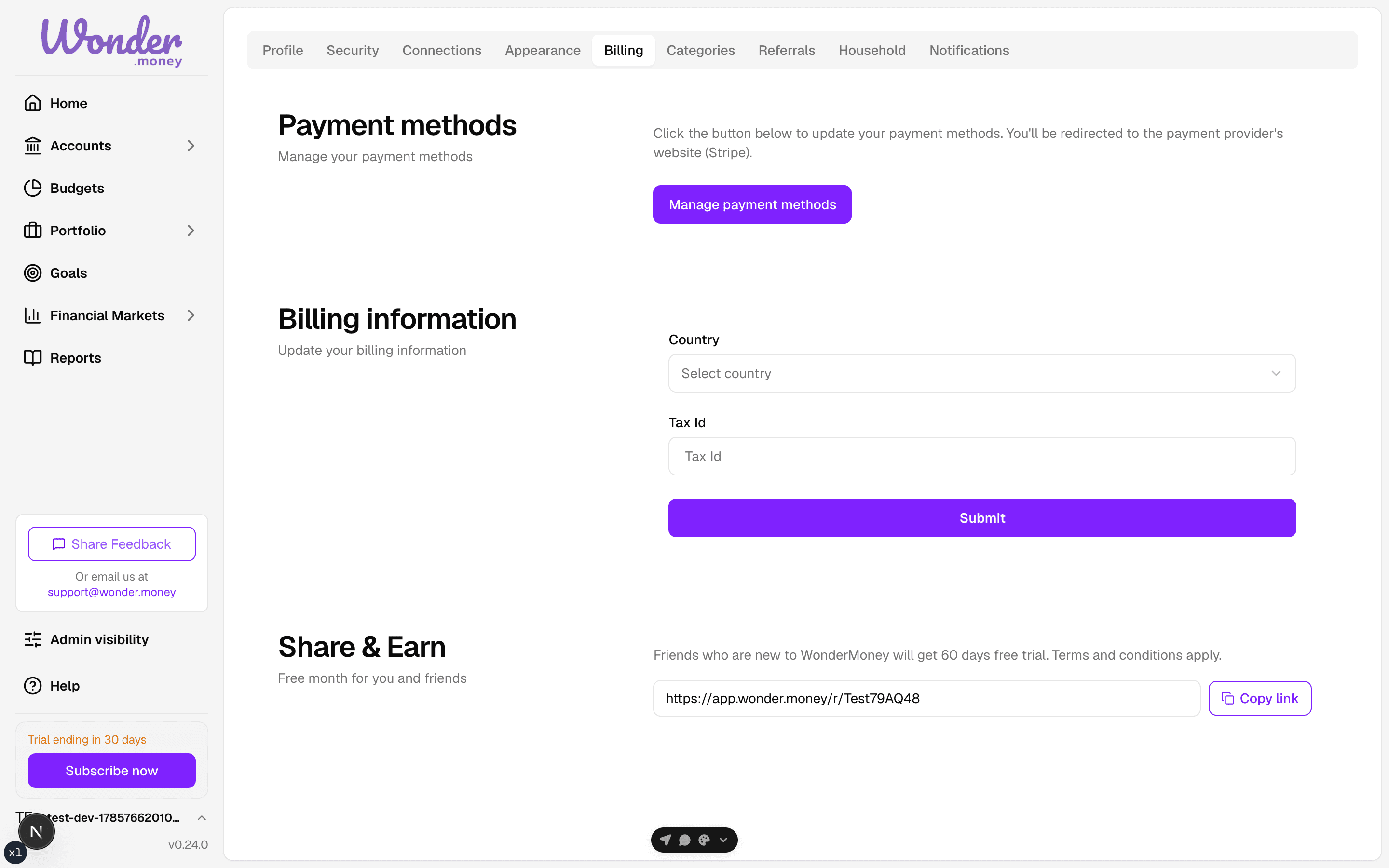
What you can do here
- Confirm whether the subscription is active or in trial.
- Upgrade during the trial.
- Open the payment update flow.
- Review the billing information currently stored on the subscription.
- Cancel the subscription when you no longer need it, if cancellation is available for your plan.
Upgrading during the trial
The upgrade button is present throughout the trial. It starts a real checkout, and billing begins once the upgrade completes. You do not need to wait for the trial to end.
Cancelling your subscription
To cancel, open the subscription area and check the actions available for your plan. If a cancellation action is shown, confirm it on the billing page when prompted.
Trial extensions
A creator can grant a trial extension through a promo code at signup. The extension adds days to the trial, and the trial length shown on the billing page reflects the extension.
If your trial has expired
The billing page shows a read-only warning when the trial end date has passed. In that case, update the payment method first, then confirm billing details if needed.
Tips
- If you do not see the expected subscription data, make sure you are signed in to the correct account.
- If a payment update sends you to Stripe, complete the form there and return to WonderMoney.