Categorize transactions
Assign categories so transactions appear correctly in budgets and summaries.
Categories help WonderMoney group spending into meaningful areas such as groceries, housing, or transport. When transactions are categorized well, budgets and summaries become easier to read.
Review Inbox
The Review Inbox lists transactions that still need attention:
- Needs category — transactions with no category yet, ordered with the lowest-confidence items first so the least certain ones appear at the top.
- Suggested categories — transactions that have a suggested category you can approve or change.
Each row shows a confidence indicator for the suggestion — high, medium, or low — together with a short reason. The reason explains why the suggestion was made, for example "new merchant — no suggestion yet" or "unclear — more than one category fits". When you correct a category yourself, the row reflects your own edit.
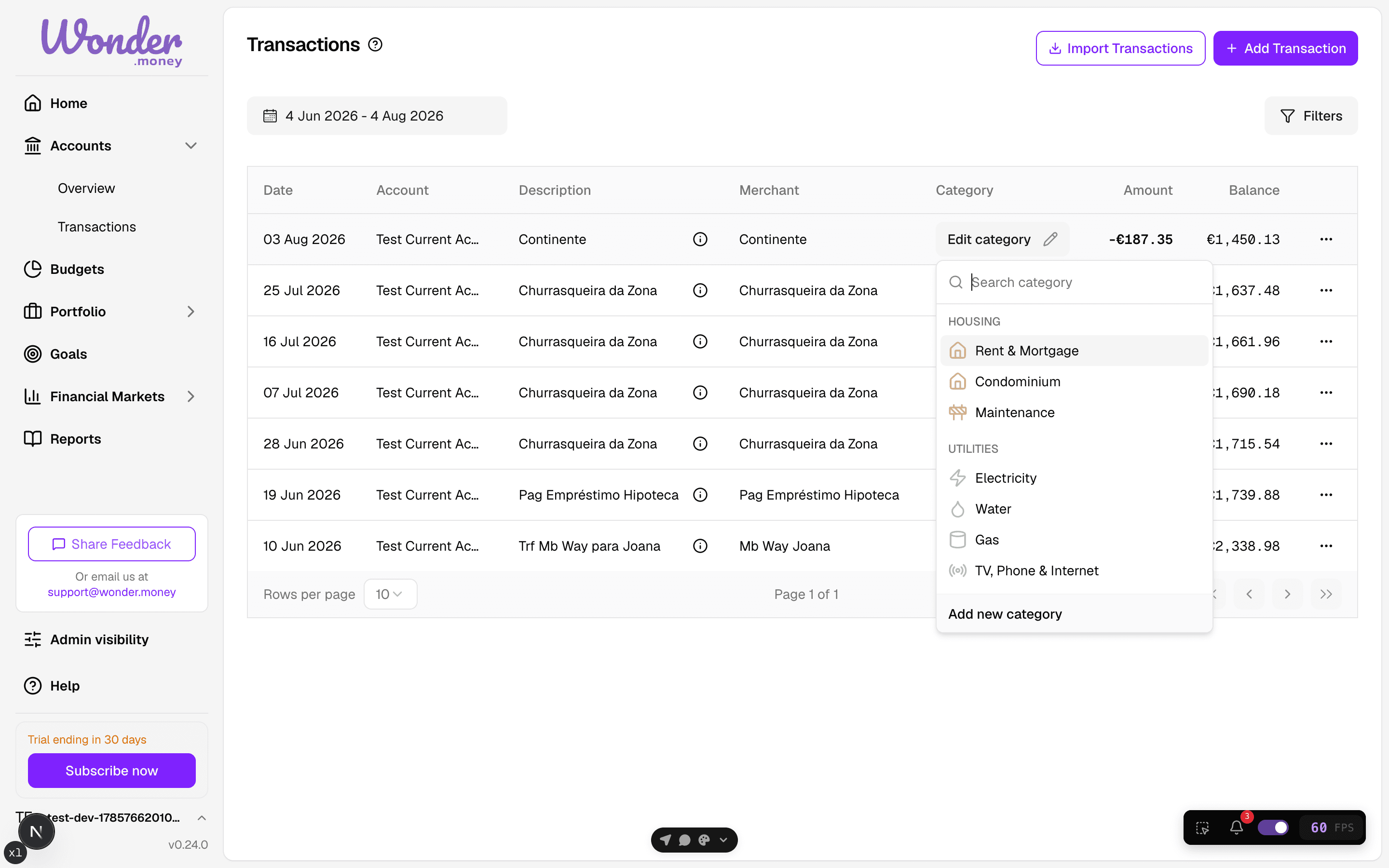
Items you correct are used to learn the mapping for that merchant, so the next transaction from the same merchant is easier to categorize.
Before you start
Review the transaction list first so you can spot items that belong together. If a transaction is part of a recurring payment, decide whether it should use the same category every month.
Steps
- Open the transaction.
- Choose the most accurate category.
- Add a note or merchant detail if it helps you remember the choice.
- Repeat for the other uncategorized items.
Bulk categorize and OCR
When you apply a category to several transactions at once, the chosen category is written to each transaction and the merchant mapping is updated, so the choice persists and helps future suggestions. The same applies when you confirm a category for a receipt extracted with OCR: the category you select is the one that is written through.
Review
Check categories at the end of the week or month and correct anything that was guessed too quickly. Consistent categories make budget tracking and searches more reliable.
Common issues
- A single payment was split across more than one purpose.
- The category is too broad to be useful.
- Refunds or reversals were assigned the same category as the original charge.
- Imported transactions inherited a category that does not fit your setup.