Budgets
Track monthly spending
Compare monthly spending against your budget targets.
Monthly tracking shows how close you are to each budget category. Use it to review overspending early and to see which categories stay predictable.
Reading used, remaining, and over budget
Used tells you what has already been spent, remaining shows what is left in the category, and over budget means the envelope has gone past its target.
Before you start
Make sure the month is selected correctly and that recent transactions have been categorized. A budget is easier to read when the transaction list is up to date.
Steps
- Open the monthly budget view.
- Select the month you want to review.
- Compare actual spending with the category target.
- Drill into any category that is running high or low.
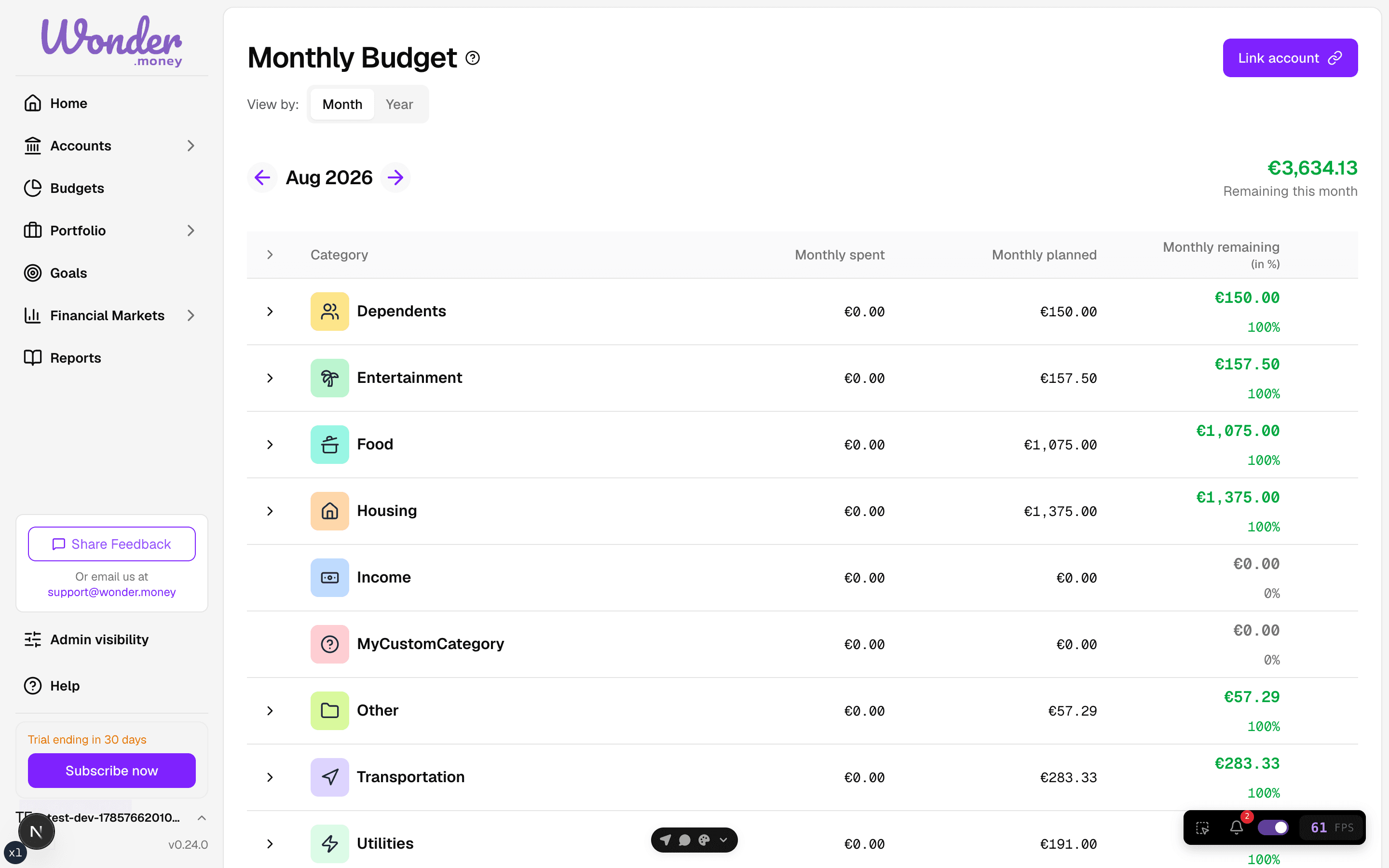
Review
Look for patterns, not just one-off spikes. If a category is always above target, the budget may need a higher limit or a different category split.
Common issues
- Some transactions are still uncategorized.
- The selected month does not match the statement period.
- A refund makes the total look lower than expected.
- One large transaction hides the normal monthly pattern.