Understand transactions
Read, filter, and review the transactions that appear in WonderMoney.
Transactions are the record of money moving in or out of an account. Use the list to review imported activity, spot missing items, and keep categories current.
Transaction lifecycle
A transaction moves through a defined lifecycle:
- Pending. The bank has reported the payment but has not confirmed it yet. Card payments usually start here.
- Posted. The bank has confirmed the transaction. A pending payment is matched to its posted version automatically, so the two do not stay separate for long.
- Expired. A pending transaction that the bank never confirms within the configured window is marked as expired and removed from the active list. This stops old pending records from lingering.
The available balance is the current balance net of pending activity, so money that is still pending is reflected in what you see.
Audit log
Every change to a transaction — including duplicate handling and status changes — is recorded in an audit log. If you need to understand why a transaction is in a particular state, the audit history has the record.
Before you start
Make sure the account has finished its first sync or has manual entries available. If you are reviewing a budget month, confirm the date range first.
Steps
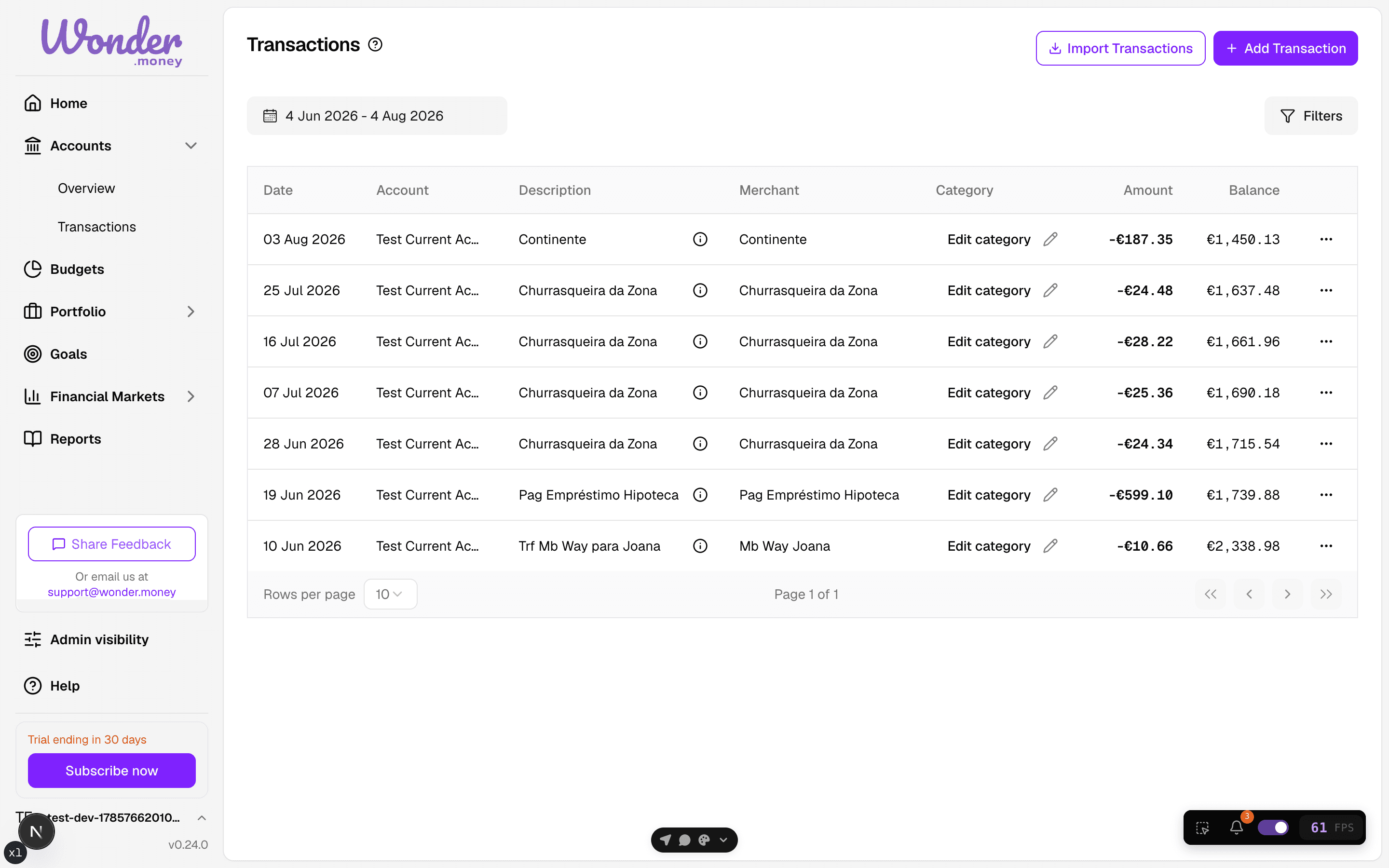
- Open the transactions list for an account.
- Filter by date, category, or account if needed.
- Open a transaction to review the amount, merchant, and notes.
- Update the category, description, or recurring status when required.
Review
Look for uncategorized items, duplicate entries, and transactions that belong to a recurring payment. A short review each week keeps the account history usable for budgets and summaries.
Common issues
- A pending card payment has not yet been matched to its posted version.
- A pending transaction shows as expired because the bank never confirmed it.
- Imported data is missing a recent payment.
- A manual correction was entered twice.
- The date range hides the transaction you are looking for.