Portfolio & Investments
Portfolio and investments
Learn how portfolio investments work in WonderMoney.
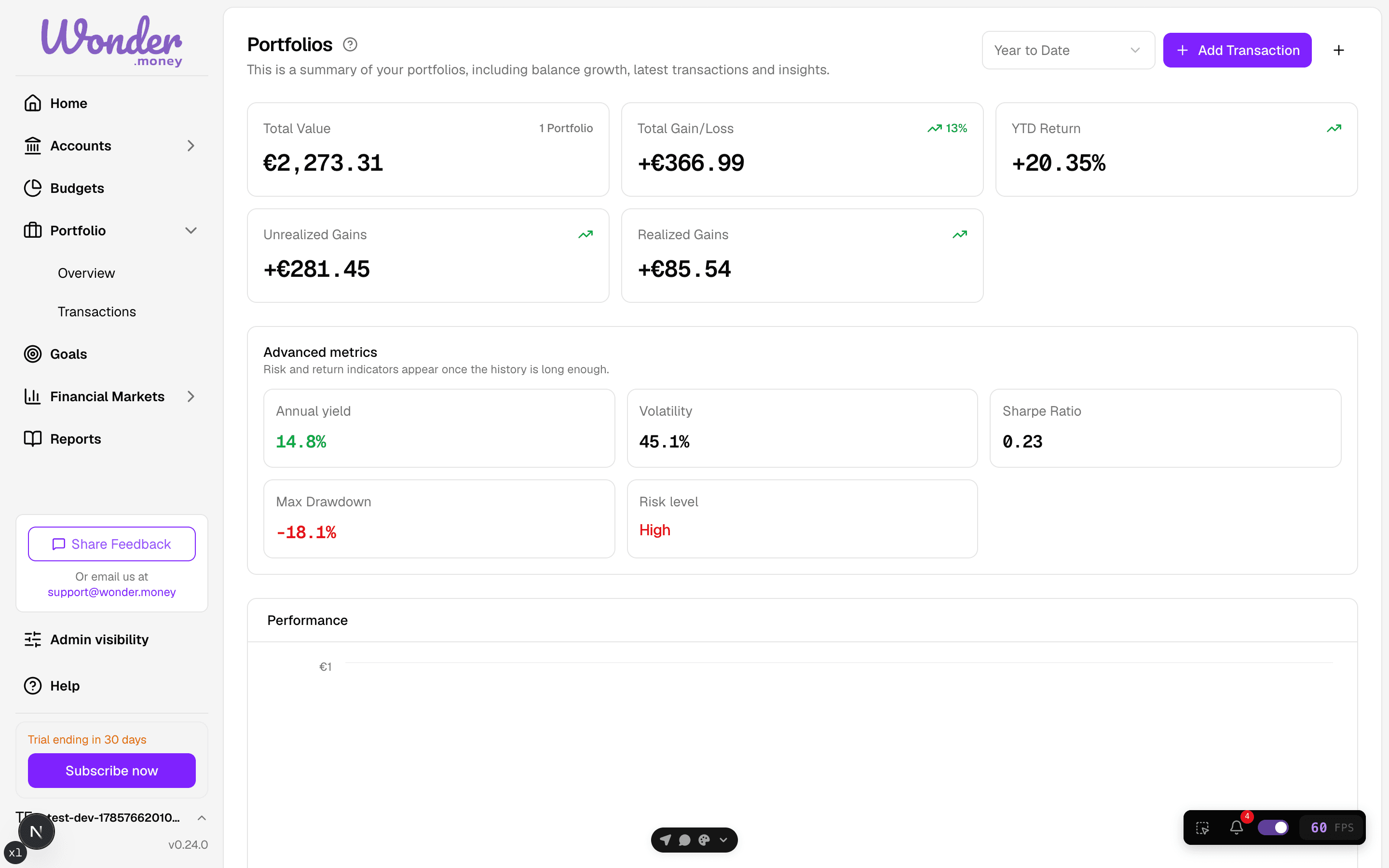
The portfolio investments section brings your holdings, transactions, and performance into one place.
Use this section to create portfolios, add transactions, import CSV files, and review allocation and benchmark views.
What you can do here
- Create one or more portfolios for different brokers, accounts, or strategies.
- Add buys, sells, dividends, fees, and other portfolio transactions.
- Import holdings and transactions from a broker CSV.
- Review allocation by asset and compare performance against a benchmark.
How it works
Portfolio data in WonderMoney is import-based. Most European brokers do not provide usable account APIs, so you add data manually through CSV import or transaction entry.
Once holdings are in the app, market prices update daily and portfolio values refresh automatically.
Understand the numbers first
Before comparing performance or allocation, learn the core metrics behind the views.
- Portfolio metrics explained
- Portfolio data lifecycle
- Portfolio
- Holding
- Allocation
- Market value
- Cost basis
- Return
- Benchmark
Before you start
- Make sure your broker export includes the columns needed for holdings or transactions.
- Use the same currency for the portfolio as the underlying data where possible.
- If you manage several strategies, create a separate portfolio for each one.
Common mistakes
- Mixing holdings from unrelated accounts into one portfolio.
- Importing the same CSV twice.
- Expecting broker balance data to match portfolio value exactly when trades have not been imported yet.
- Using portfolio pages as financial advice. They show data only.