Holdings Allocation
Review how your investment is distributed across assets.
Holdings allocation shows how your portfolio is distributed. The Allocation chart groups it By Type, By Sector or By Asset, and the holdings table gives each position's share.
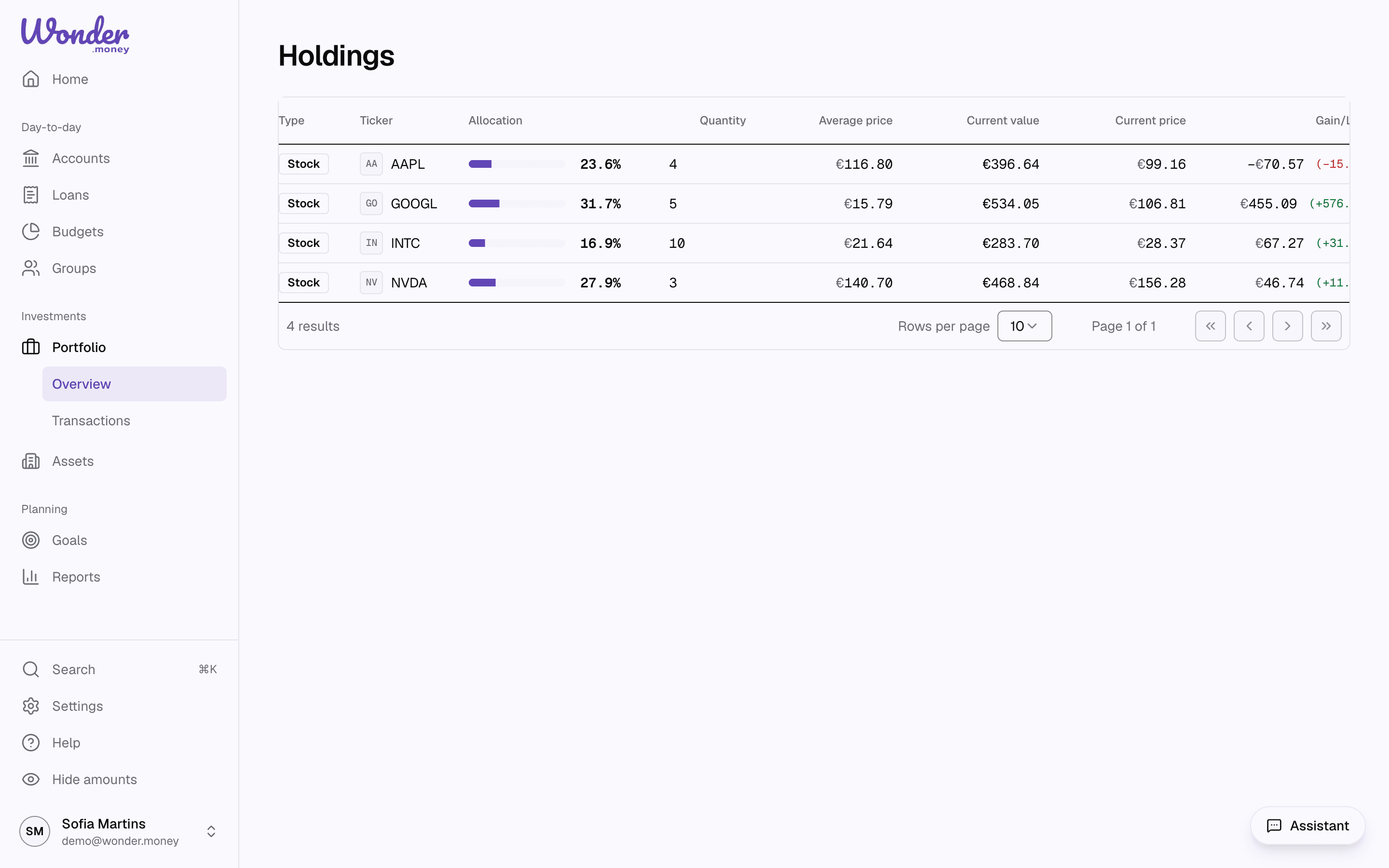
What to look for
- The largest positions in the portfolio.
- Concentration in a single asset.
- How allocation changes after new buys or sells.
How to use it
- Review allocation after importing new holdings.
- Compare the distribution against your intended strategy.
- Use it to understand concentration, not to make a decision for you.
- Allocation explains how a portfolio is divided.
- Holdings allocation metrics explain how holding weight fits into total value and return.
Set a manual price
When the market price of a security is wrong, late or missing, you can set your own. Open a holding's details and choose Set price in Price history. Enter the date, the price in the security's own currency and, if you like, a note. A manual price applies to your household only: another household holding the same security keeps the market price.
The manual price counts from its date on: the holding's value uses it, and the portfolio history is recalculated from that date. It stays the current price until a newer market price arrives; on the same date, your price wins. Manual prices are marked with an outlined dot on the price chart.
Choose Edit beside a manual price to change it, or Remove manual price to delete it. The market price applies again, and the portfolio history is recalculated from that date.
Target allocation
A portfolio's page has a Target Allocation section, which compares the portfolio with a mix you choose.
- Pick a preset (Conservative, Balanced or Growth), or choose Customize.
- Enter a percentage for each asset class, and save. Choose Edit to change the targets later.
For each asset class, the table shows its current share, the target and the drift between them, in percentage points. A drift of more than 5 points is marked Overweight or Underweight; one of 2 points or less is marked On target. A holding that has no asset class yet is left out of the comparison and listed under Unclassified holdings.
In the mobile app, the target allocation is in the portfolio's settings. Like the rest of this page, it is educational only and not investment advice.
Common mistakes
- Reading allocation as advice.
- Forgetting that missing holdings can distort the chart or table.
- Comparing portfolios with different goals as if they should look identical.