Understand the dashboard
Read the main dashboard and find the next place to work.
The dashboard brings balances, recent activity, and shortcuts into one view. Use it to confirm that your accounts are connected and to reach transactions or budgets quickly.
Before you start
Make sure at least one account or budget exists so the dashboard has real data to display. New accounts may show empty states until the first sync finishes. Completing the onboarding marks your first run complete, so the dashboard renders normally on the next sign-in. If you are still learning the terms on this page, see the glossary.
Key sections
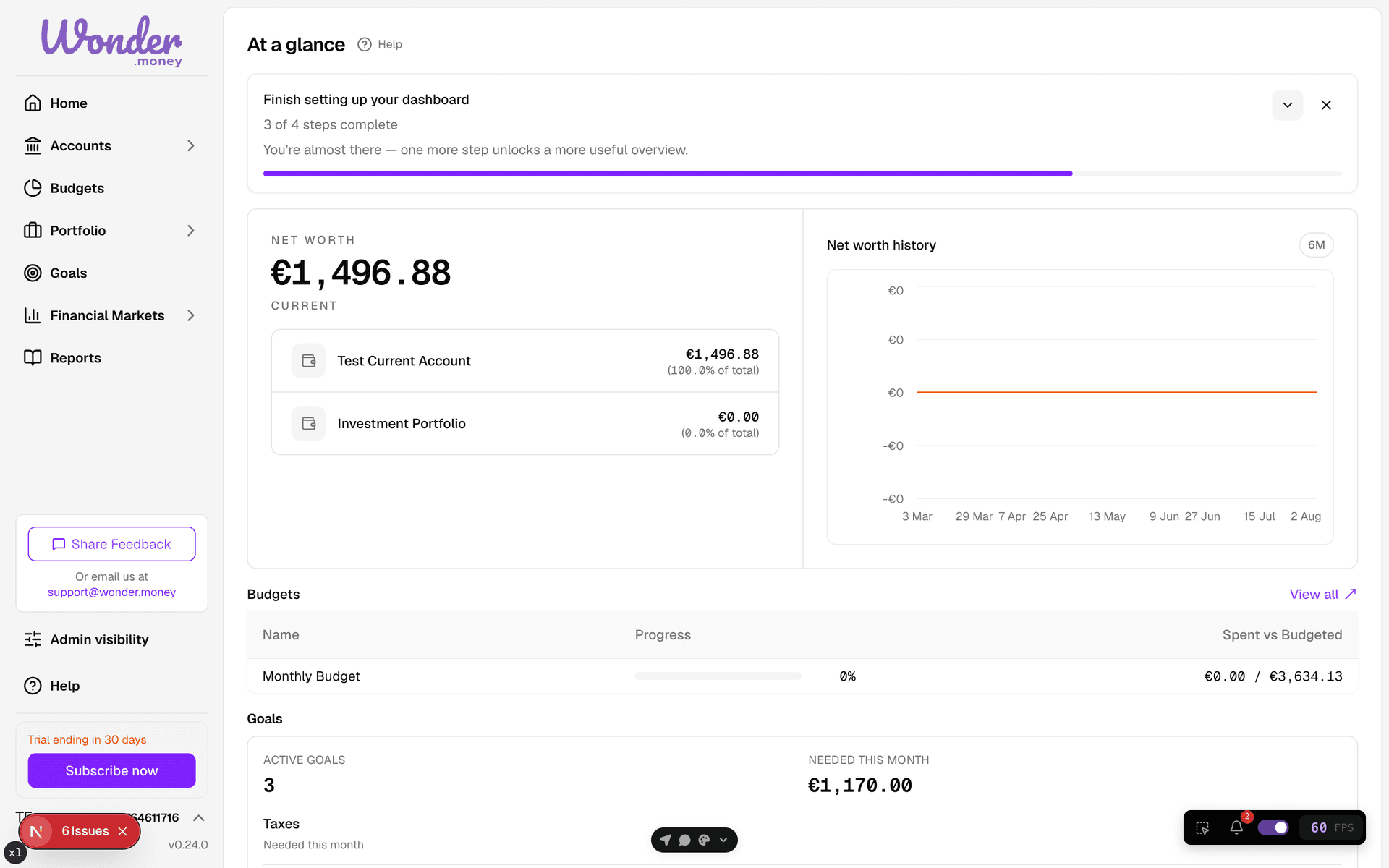
- Balance summary for the overall position.
- Account cards for individual bank and manual accounts.
- Recent transactions for the latest activity.
- Shortcuts for budgets and account management.
- Sidebar navigation for accounts, budgets, portfolio, and settings.
How to use it
Check balances first, then review the latest transactions for anything unexpected. Use the shortcuts to move into the area that needs attention, such as a missing import or an unassigned category.
Common issues
- Balances are stale because a connection has not synced yet.
- A new account is still empty after signup.
- Recent activity does not include a manual account until you add entries.