Create a goal
Set up a goal to save up or to pay down debt.
Create a goal when you want to set aside money for a specific purpose, such as an emergency fund, a trip, taxes, or a future purchase, or when you want to plan paying off one or more debts.
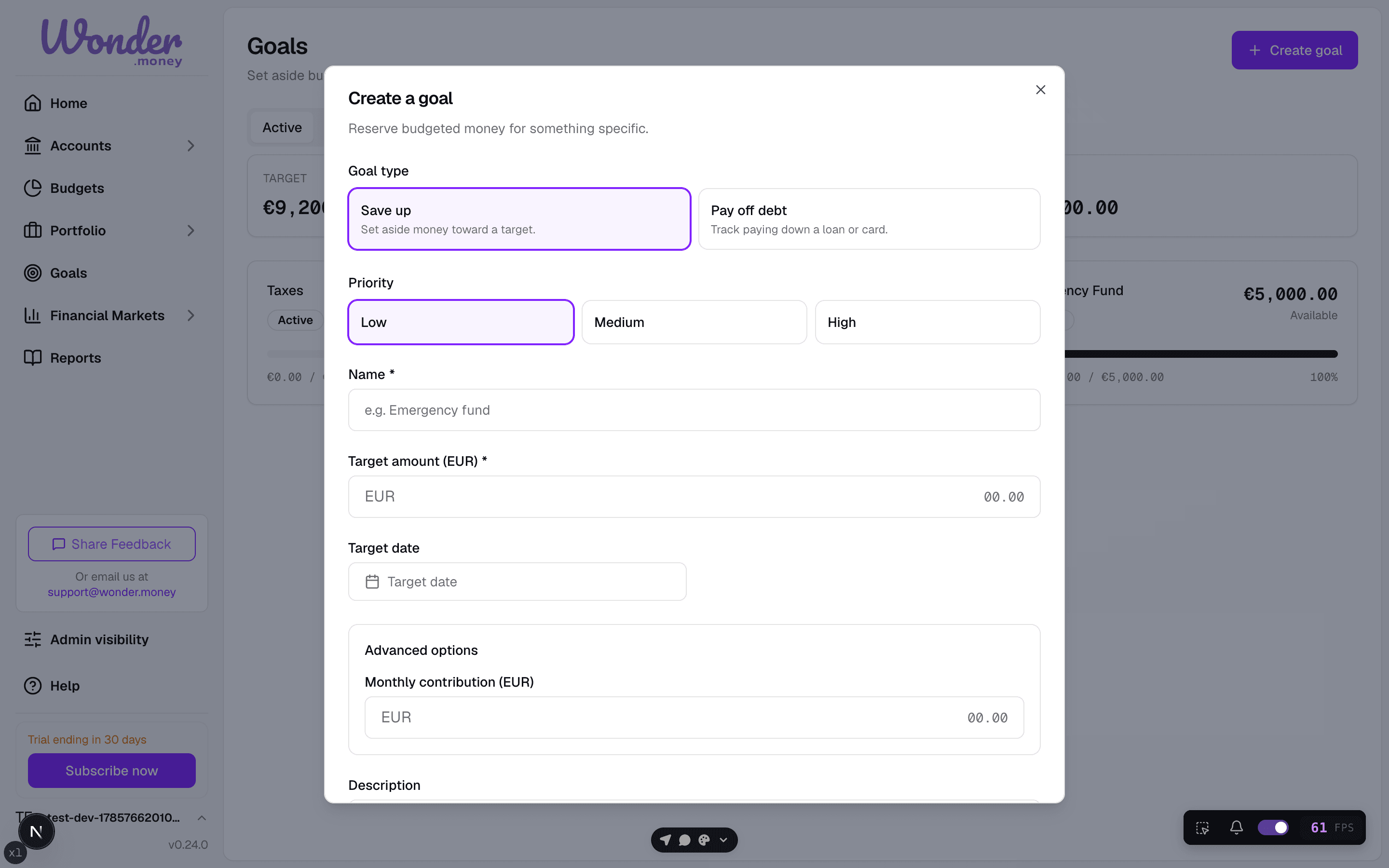
Choose a goal type
When you create a goal, choose the type first:
- Save up reserves money toward a target amount, such as an emergency fund or a future purchase.
- Debt pay down tracks progress toward paying off one or more debts.
The goal type is part of the goal setup. Once contributions begin, the type and the target amount are locked and cannot be changed.
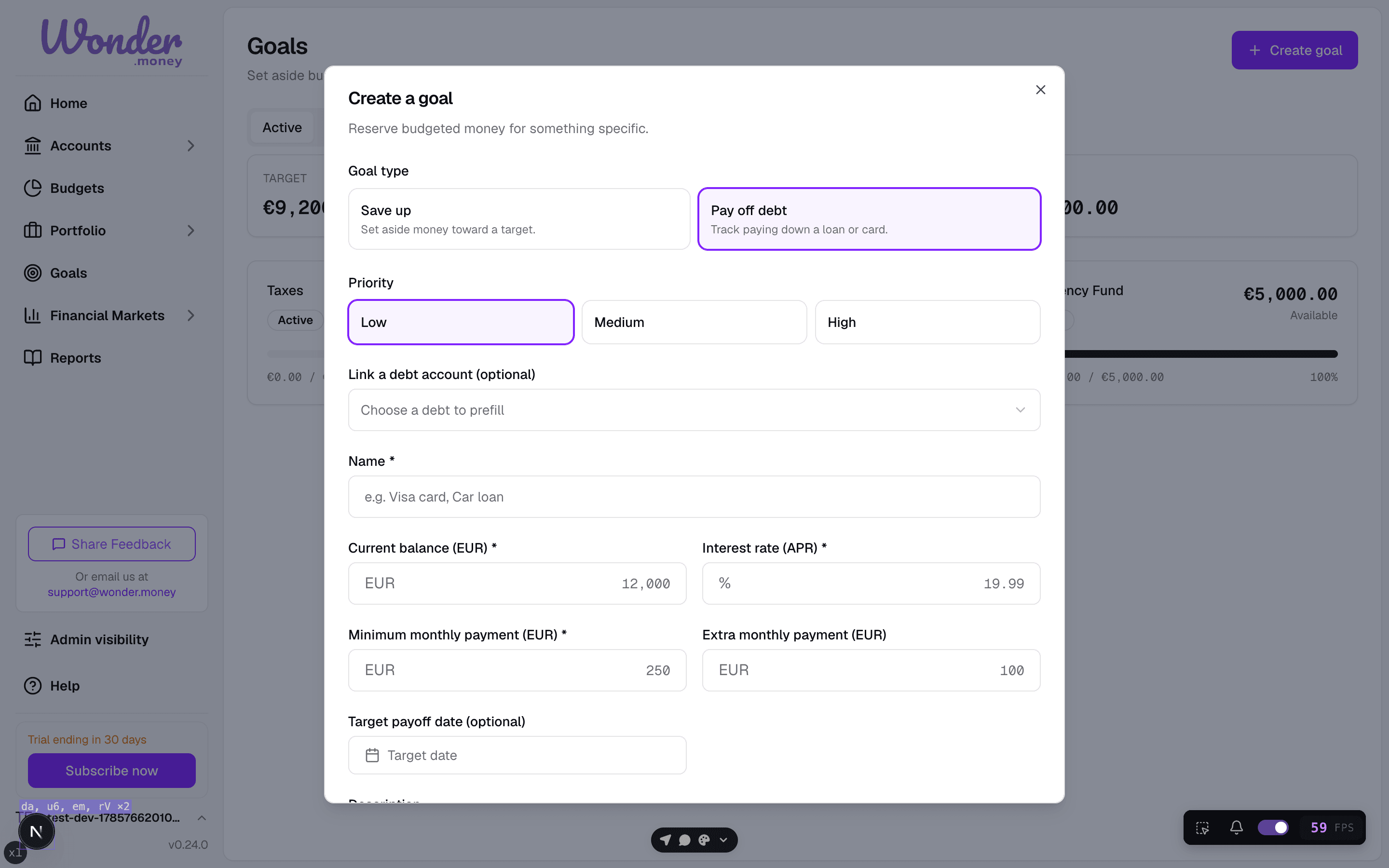
The goal type is part of the goal setup. Once contributions begin, the type and the target amount are locked and cannot be changed.
Save up goals
For a save up goal, set:
- Goal name
- Target amount
- Target date, if you have one
- Monthly contribution target, if you want one
Debt pay down goals
For a debt pay down goal, choose which debts to include and how they should be ordered.
Choose the ordering strategy:
- Avalanche — orders debts by interest rate, highest first. This usually minimizes the total interest paid.
- Snowball — orders debts by balance, smallest first. This usually clears the smallest balances sooner.
Set a target payoff date if you have one. The goal shows the projected payoff timeline for your strategy and compares it with the alternative, so you can see how the choice changes the total interest and the payoff date.
Priority
Set the priority in the create or edit form. Goals with a higher priority appear first in goal lists. You can change the priority later. See Goal priority for details.
Assigning money
The goal stores a target and tracks progress through goal activity. It does not move money between bank accounts. You can assign money to the goal manually and then fund an expense from it when needed.
When you assign money, the available-to-assign ceiling limits the amount you can assign based on your budget. You cannot assign more than the ceiling. A confirmation message appears when the assignment succeeds.
Good goal names
- Emergency fund
- Annual taxes
- New laptop
- Vacation 2026
Common mistakes
- Setting a target that does not match the real purpose of the money.
- Creating too many small goals that are hard to manage.
- Expecting the goal to automatically reserve money from a bank account.
- Choosing a debt pay down strategy without comparing the payoff timeline first.